USA:
 India:
When a developer chooses “Yes, and don’t ask again” in Claude Code, the tool can save the exact command, including any password or token in it, to .claude/settings.local.json. Security firm Apiiro found 1,122 public copies of that file with real secrets, and 2,539 secrets in total across about 2,000 repos once older versions and related files were counted. Search your repos, check git history, rotate anything exposed and keep the file out of git.
Key takeaways
Approved commands can be saved verbatim, so typed credentials end up in plain text
Apiiro found 2,539 secrets across 1,994 public repos and 63 organisations
Two popular secret scanners together missed 215 of the affected files
Rotate first, then clean up, because deleting the file doesn’t remove old secrets from git history
How a password ends up on GitHub
Picture a small startup in Sydney. A developer asks Claude Code to connect to the database, Claude Code asks permission to run the command, and the developer picks “Yes, and don’t ask again”. The full command, password included, is saved as an allow rule in .claude/settings.local.json. If that file is later committed to a public repo, anyone can read it. It’s the coding version of writing your PIN on the back of your bank card.
What Apiiro found
Apiiro scanned 104,185 public copies of the file. 1,122 held at least one real secret, 1,379 distinct secrets in all, including 379 database passwords, 122 Supabase service-role keys, 43 SSH logins and 23 AWS keys. With git history, shared settings.json files and saved transcripts included, the count reached 2,539 secrets across 1,994 repositories. Gitleaks flagged 564 of the 1,122 files and TruffleHog flagged 643, but 215 were missed by both. Apiiro didn’t test whether the keys still worked, although one organisation confirmed its key was live.
What Anthropic said
Boris Cherny, head of Claude Code, said the team is “looking into what we can do to prevent this”, and acknowledged that Claude Code hasn’t historically scrubbed secrets. He also said Claude Code adds the file to git’s ignore list when it’s created, so the exposed copies came from setups where that protection didn’t apply.
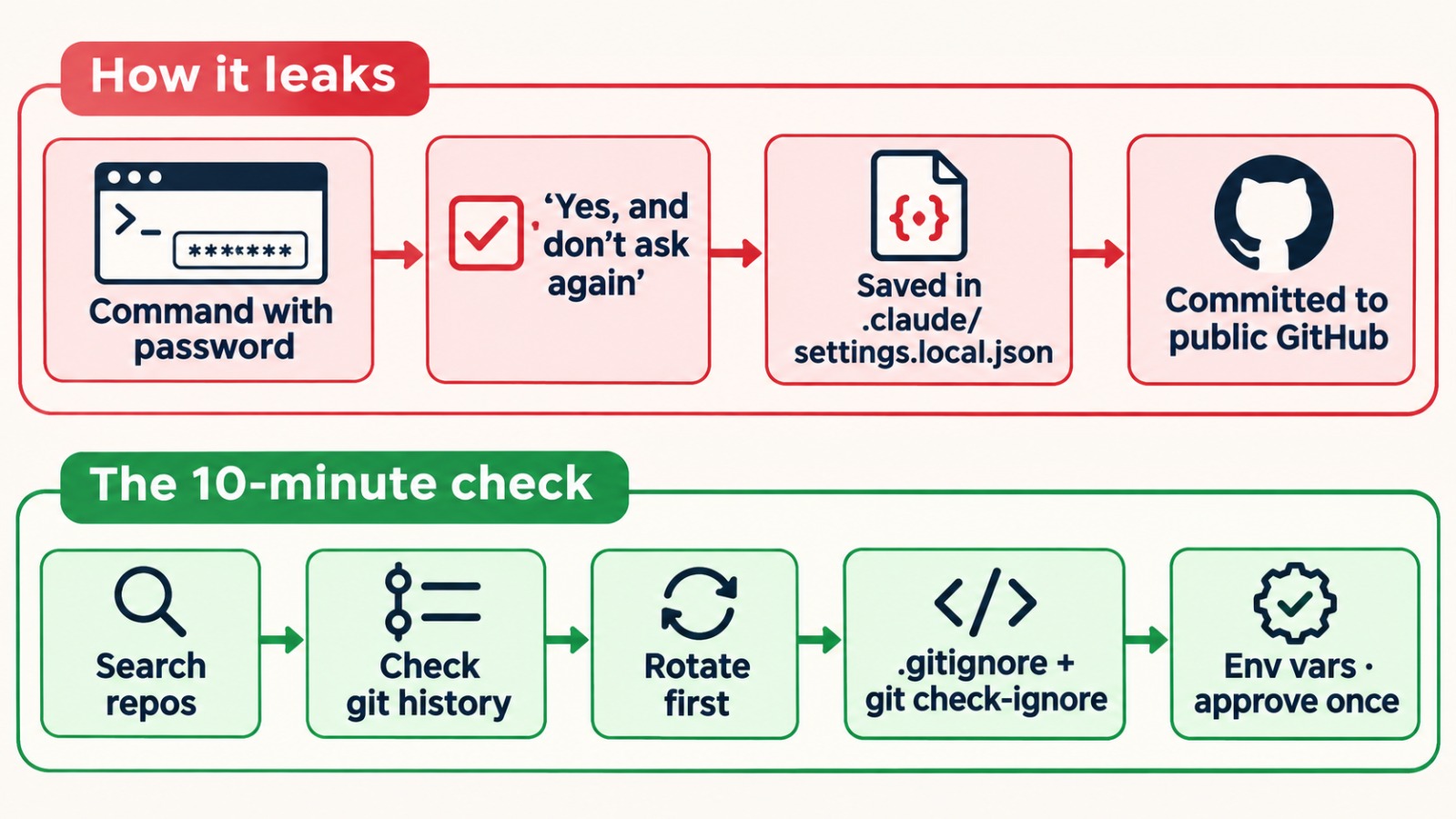
The 10-minute check
Search your repositories for .claude/settings.local.json and .claude/settings.json, and read what’s inside.
Check history with git log --all -p -- .claude/settings.local.json, since deleted files stay in old commits.
Rotate any credential you find before you clean up.
Ignore the file: add .claude/settings.local.json to .gitignore, then confirm with git check-ignore -v .claude/settings.local.json.
Change the habit. Keep secrets in environment variables or a secrets manager, so commands read like psql "$DATABASE_URL". Use one-time approval for anything that touches a database, API or server.
The same check applies to any AI coding tool that remembers approved commands.
Frequently asked questions
Trending question: Is Claude Code safe to use after the secrets leak?
Yes, with care. The leak came from saved command approvals being committed to public repos. Keep secrets in environment variables, keep .claude/settings.local.json out of git, and use one-time approval for sensitive commands.
Trending question: What is settings.local.json in Claude Code?
It’s a project-level settings file where Claude Code stores local permissions, including commands you approved with “don’t ask again”. It isn’t meant to be committed to git.
I deleted the file. Am I safe?
Not necessarily. The secret stays in git history, forks and clones. Rotate the credential first.
Will a secret scanner catch this?
Not always. In Apiiro’s research, two popular scanners together missed 215 of the affected files, so check the file directly too.
-

Writen by Anirban Das