USA:
USA:  India:
On October 2, Anthropic changed what customising Claude Code means. Until now, developers could add tools around the agent. With mods, they can change how it behaves from the inside.
For engineering leads and technology decision makers, that is a meaningful shift. It makes the agent more adaptable to a team's workflow. It also widens the security question, because the code that reshapes the agent runs with the agent's own access.
What a mod actually is
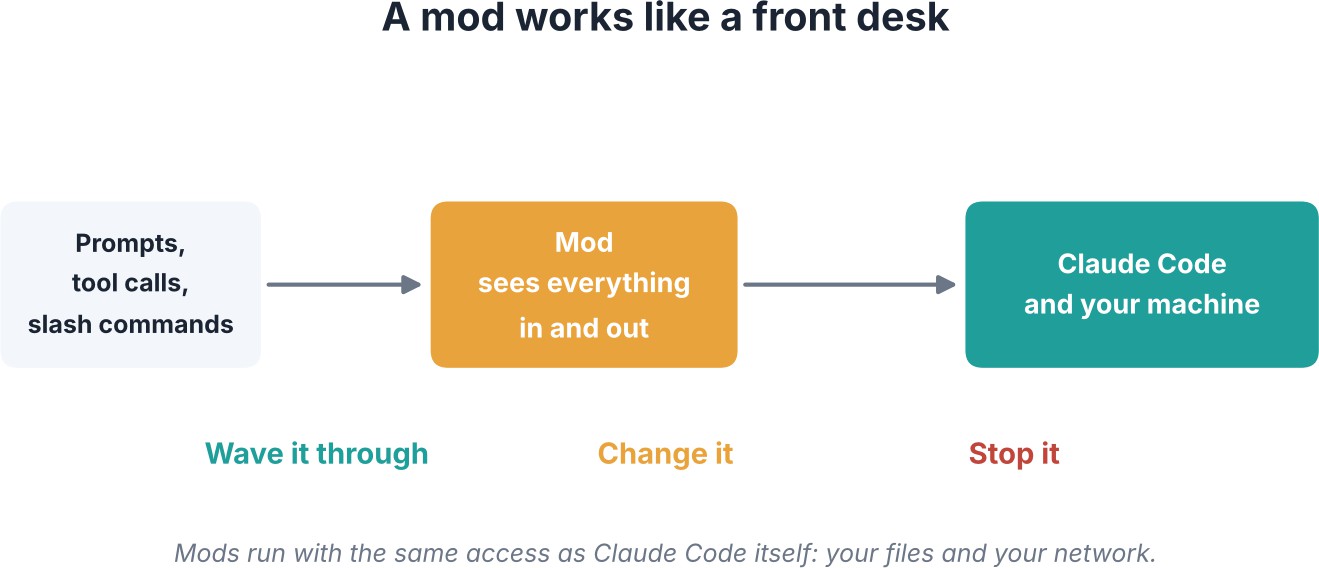
One developer describes mods as middleware, which is really just a front desk. It sees everything coming in and going out, and it can wave it through, change it, or stop it.
In practical terms, a mod is a small TypeScript or JavaScript module shipped inside a plugin. It watches the moments that matter: tool calls, prompts, turns, slash commands and even every redraw of the screen.
Three annoyances, three mods
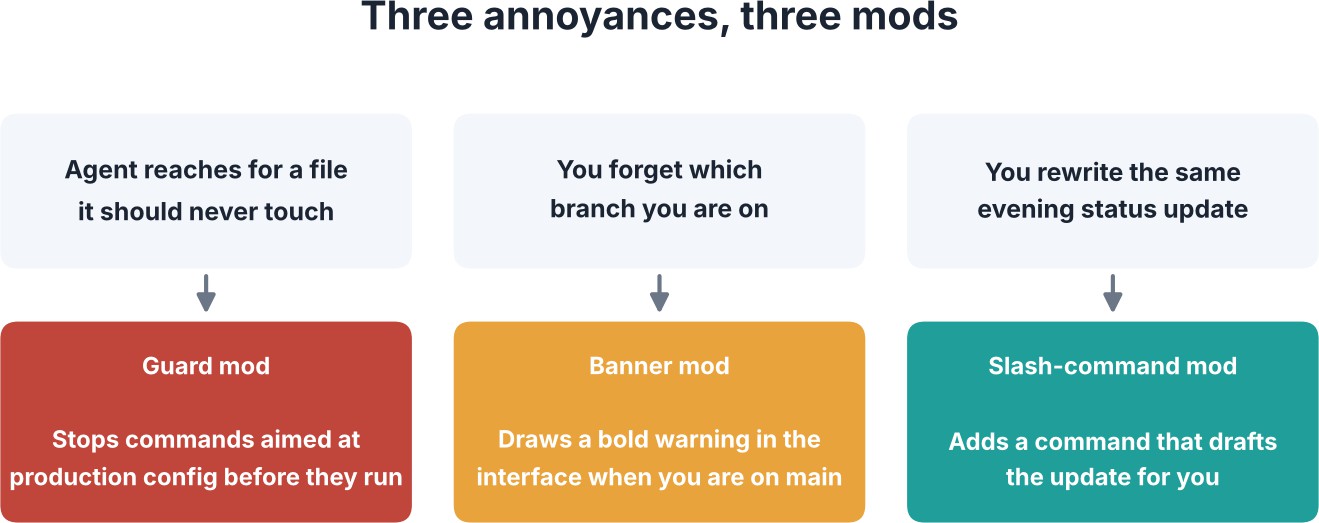
The easiest way to grasp the idea is one developer and three everyday frustrations.
The agent reaches for a file it should never touch
A guard mod can sit in front of every tool call and stop any command aimed at your production configuration before it runs. For teams worried about agents working near sensitive files, this is the most obvious use.
You forget which branch you are on
A mod can draw its own banner in the interface, such as a bold warning the moment you are on main. It is a small change, but it targets the kind of slip that causes real incidents.
You rewrite the same evening status update every day
A mod can add its own slash command that drafts the update for you. Repetitive reporting becomes a single command.
Claude can build a mod for you
Nobody has to write these by hand. Claude can build a mod on request and reload it live inside the same session. Anthropic says it already used mods to build features such as the /diff command and AGENTS.md support, which suggests the mechanism is robust enough for the company's own product work.
The catch that decides everything
A mod runs with the same access to your machine as Claude Code itself. That means your files and your network. Anthropic's own advice is to install mods only from sources you trust.
A useful mental model is to treat a mod like a script a stranger emailed you. Read it first. The convenience is real, but so is the exposure, and a mod that can observe prompts and tool calls can see a great deal.
What you need to get started
- Version. Claude Code 2.1.287 or later.
- Default setting. Mods are on by default, so check what is already enabled before adding more.
- Source. Install only from sources you trust, and read the code before you do.
Launch coverage also mentioned a built-in "You should know" plugin that flags important details in Claude's output. The command was quoted as /plugin enable
cc-plugin-you-should-know@builtin. Confirm it in your own version before relying on it.
Practical takeaways for teams
- Audit which mods are already enabled in your environment.
- Read the source of any mod before it touches a client or production repository.
- Start with low-risk mods, such as interface banners, before adding guards or automation.
- Prefer mods from sources you trust, and keep a short list of approved ones.
- Consider asking Claude to draft a mod, then review the output as you would any code.
ZTS Infotech applies a simple rule: it reads a mod's code before the mod goes anywhere near a client repository.
Expert Perspective
Editorial analysis. Mods move Claude Code from a product you configure to a platform you extend. That tends to deepen user loyalty, because teams that encode their own rules into a tool are less likely to leave it.
The trade-off is governance. Extension points are where security incidents tend to start in developer tooling, and a mod's access is as broad as the agent's. Engineering managers should expect to write a mod-approval policy, much as many already have for editor extensions and package dependencies.
The outlook is practical. Guard-style mods may become a standard safety layer for agent-assisted development, while shared, reviewed mod libraries could emerge inside
organisations. Teams that build review habits now will adopt the feature faster and more safely than those who treat it as a casual add-on.
Key Takeaways
- On October 2, Anthropic introduced mods, which change how Claude Code behaves from the inside.
- A mod is a small TypeScript or JavaScript module shipped inside a plugin.
- Mods can hook tool calls, prompts, turns, slash commands and screen redraws.
- Examples include a guard for risky commands, a branch banner and a custom slash command.
- Claude can build a mod for you and reload it live in the same session.
- Mods run with the same access to your machine as Claude Code, so install only from trusted sources.
- Requires Claude Code 2.1.287 or later. Mods are on by default.
What to watch next
Watch for how plugin sources are vetted and how teams share reviewed mods. Until clear norms emerge, read first and install second. ZTS Infotech will keep reporting verified developments in AI and developer tools.
-

Writen by Anirban Das